primary#36F08A
accent#36F08A
secondary#0F1D18
bg#040907
surface#0A1411
text#D9FFE9
muted#7FB89C
border#1C5B42
recess#0F1D18
Phosphor turns green-screen terminal discipline into a modern operations console: dense monospace rows on black glass, amber-ticked instrument panels, and a block cursor that marks where the system is listening — luminous, legible, never nostalgic.
Retro Computing & Terminal family. Its pictures are drawn in Lumiphor.
Tokens, rules and the paired art style Lumiphor.
Each face set in this language's own words.
Phosphor
Phosphor
Phosphor turns green-screen terminal discipline into a modern operations console: dense monospace rows on black glass, amber-ticked instrument pane...
Phosphor turns green-screen terminal discipline into a modern operations console: dense monospace rows on black glass, amber-ticked instrument pane...
Phosphor turns green-screen terminal discipline into a modern operations console: dense monospace rows on black glass, amber-ticked instrument panels, and a block cursor that marks where the system is listening — luminous, legible, never nostalgic.
System-console layout: open masthead nav across the header, a command rail, a large operations workspace, and a telemetry column aligned to an 8px grid.
Primary hierarchy comes from phosphor brightness, uppercase prompt labels, amber-ticked panels, and tabular rows; the largest type is still monospaced and technical.
Dense by default with compact rows and narrow gutters, while preserving enough line height for readable operational dashboards on small screens.
CRT scanline overlay; terminal syntax-mark prefixes; amber corner ticks via pseudo-elements; block-cursor focus/selection; fixed-width command-output rows with color-coded status tokens.
Desktop uses a 220px command rail, flexible central workspace, and 300px telemetry column; internal panels follow 8px increments.
Compact and mechanical: 8px row gaps, 16-24px panel padding; large empty areas only inside output panes to imply screen depth.
high
minmax(0,1fr) columns and min-width:0 children so grids never blow out; single column on mobile; only the hero is full-bleed; capped and centred on ultra-wide.
lumiphor
Subjects are rendered as the phosphor signal itself — radar sweeps, waveform terrain, oscilloscope traces — in luminous emerald monochrome with scanlines, dot-matrix dithering, CRT bloom, and scarce amber/cyan flecks. Render the signal, not the screen.
One commanding full-bleed Lumiphor composition for the landing hero behind a legible left-weighted scrim; embodiment imagery stays a signal field, never a monitor mockup.
# Phosphor

## Philosophy

Phosphor turns green-screen terminal discipline into a modern operations console: dense monospace rows on black glass, amber-ticked instrument panels, and a block cursor that marks where the system is listening — luminous, legible, never nostalgic.

### Values

- Operational clarity before ornament
- Authentic terminal rhythm from monospaced rows and command prompts
- High-contrast status communication with restrained accent colour
- Enterprise hierarchy anchored by grid discipline and repeatable components

### Anti-Values

- Rounded lifestyle-app softness that breaks the machine-console character
- Rainbow cyberpunk excess or decorative glitch that obscures content
- Skeuomorphic monitor bezels, fake hardware chrome, or novelty terminal jokes

### Visual Character

- Every panel draws zero-radius 1px phosphor borders with amber corner ticks for a calibrated instrument edge.
- The interface sits on a deep black-green ground with layered scanlines and a radial phosphor glow behind the working area.
- Headers, labels, and controls use uppercase IBM Plex Mono with terminal-syntax prefixes ($, >, ::, [01]).
- Hierarchy is built from terminal rows, tabular metric cells, and fixed-width prompt blocks, not soft cards.
- Interactive elements expose a block cursor: focused inputs and active tabs show a rectangular phosphor caret or a solid left bar.

## Tokens

### Colors

| Name | Value |
|------|-------|
| bg | `#040907` |
| surface | `#0A1411` |
| recess | `#0F1D18` |
| text | `#D9FFE9` |
| muted | `#7FB89C` |
| primary | `#36F08A` |
| secondary | `#0F1D18` |
| accent | `#36F08A` |
| on_accent | `#04150C` |
| amber | `#FFB454` |
| cyan | `#5FE1FF` |
| success | `#36F08A` |
| warning | `#FFB454` |
| error | `#FF5D78` |
| info | `#5FE1FF` |
| border | `#1C5B42` |

### Typography

- **Base Size**: 16px
- **Body Font**: IBM Plex Mono
- **Heading Font**: IBM Plex Mono
- **Mono Font**: IBM Plex Mono
- **Heading Weight**: 600
- **Heading Transform**: uppercase
- **Letter Spacing**: 0.01em
- **Line Height**: 1.55
- **Scale Ratio**: 1.2
- **Google Fonts Url**: https://fonts.googleapis.com/css2?family=IBM+Plex+Mono:wght@400;500;600;700&display=swap

### Radii

- **None**: 0
- **Sm**: 0
- **Md**: 0
- **Lg**: 0
- **Full**: 9999px

### Shadows

- **Sm**: 0 0 10px rgba(54,240,138,0.16)
- **Md**: 0 0 24px rgba(54,240,138,0.18), inset 0 0 18px rgba(54,240,138,0.04)
- **Lg**: 0 0 60px rgba(54,240,138,0.22), inset 0 0 30px rgba(95,225,255,0.04)
- **Focus**: 0 0 12px rgba(54,240,138,0.28)

### Spacing

- **Base**: 8px
- **Scale**: [4,8,12,16,24,32,48,64]

### Surfaces

- **Bg Pattern**: scanlines
- **Card Style**: Flat black-glass panels with subtle CRT scanlines, inner phosphor glow, square edges, amber corner ticks, and command-line header strips.
- **Treatment**: scanline

### Borders

- **Default Width**: 1px
- **Accent Width**: 2px
- **Style**: solid
- **Character**: Thin phosphor grid lines define every region; amber corner ticks bracket panels; cyan/amber state strokes used sparingly for alerts and selection.

### Motion

- **Duration**: 140ms
- **Easing**: steps(2, jump-none)
- **Philosophy**: snappy, terminal-true; settled state is the default and visible with no JS

## Rules

### Composition

System-console layout: open masthead nav across the header, a command rail, a large operations workspace, and a telemetry column aligned to an 8px grid.

### Hierarchy

Primary hierarchy comes from phosphor brightness, uppercase prompt labels, amber-ticked panels, and tabular rows; the largest type is still monospaced and technical.

### Density

Dense by default with compact rows and narrow gutters, while preserving enough line height for readable operational dashboards on small screens.

### Signature

CRT scanline overlay; terminal syntax-mark prefixes; amber corner ticks via pseudo-elements; block-cursor focus/selection; fixed-width command-output rows with color-coded status tokens.

## Layout

### Grid

Desktop uses a 220px command rail, flexible central workspace, and 300px telemetry column; internal panels follow 8px increments.

### Whitespace

Compact and mechanical: 8px row gaps, 16-24px panel padding; large empty areas only inside output panes to imply screen depth.

### Density

high

### Responsive

minmax(0,1fr) columns and min-width:0 children so grids never blow out; single column on mobile; only the hero is full-bleed; capped and centred on ultra-wide.

### Breakpoints

- **Mobile**: < 760px single stacked console
- **Tablet**: 760-1099px rail + workspace, telemetry below
- **Desktop**: >= 1100px three columns
- **Ultrawide**: >= 1600px contained content capped and centred

## Guidance

### Do

- Use IBM Plex Mono for all text, including numbers and form controls.
- Keep emerald the brightest thing on screen; let amber and cyan stay scarce, operational accents.
- Prefix labels and actions with terminal marks rendered as text; right-align numbers in phosphor.
- Bracket panels with amber corner ticks; mark focus and selection with the block cursor.
- Keep scanlines subtle and never place heavy glow behind long paragraphs.

### Don't

- Do not round corners, add a single accent edge to a card, or box the nav into a pill bar.
- Do not tip the palette into rainbow cyberpunk; green is primary, amber and cyan are scarce.
- Do not use emoji on buttons or symbol-font glyphs in copy; use SVG primitives.
- Do not hide the page behind a JS-only reveal; the settled state must render with no JS.

### Accessibility

High contrast phosphor text on black glass (>= 7:1 for body); status never encoded by colour alone (status tokens carry an uppercase label plus a dot); every interactive element has a visible focus ring (the block caret / phosphor border glow); motion respects prefers-reduced-motion; the no-JS render is the full settled page.

## Imagery Direction

### Pairs With

lumiphor

### Summary

Subjects are rendered as the phosphor signal itself — radar sweeps, waveform terrain, oscilloscope traces — in luminous emerald monochrome with scanlines, dot-matrix dithering, CRT bloom, and scarce amber/cyan flecks. Render the signal, not the screen.

### Subjects

- radar sweep
- oscilloscope waveform
- signal terrain
- operations field
- vector trace

### Usage

One commanding full-bleed Lumiphor composition for the landing hero behind a legible left-weighted scrim; embodiment imagery stays a signal field, never a monitor mockup.
---
version: "alpha"
name: "Phosphor"
description: "Phosphor turns green-screen terminal discipline into a modern operations console: dense monospace rows on black glass, amber-ticked instrument panels, and a block cursor that marks where the system is listening — luminous, legible, never..."
colors:
  bg: "#040907"
  surface: "#0A1411"
  recess: "#0F1D18"
  text: "#D9FFE9"
  muted: "#7FB89C"
  primary: "#36F08A"
  secondary: "#0F1D18"
  accent: "#36F08A"
  on_accent: "#04150C"
  amber: "#FFB454"
  cyan: "#5FE1FF"
  success: "#36F08A"
  warning: "#FFB454"
  error: "#FF5D78"
  info: "#5FE1FF"
  border: "#1C5B42"
typography:
  headline-lg:
    fontFamily: "IBM Plex Mono"
    fontSize: "1.728rem"
    fontWeight: 700
    lineHeight: 1.1
    letterSpacing: "0.01em"
  headline-md:
    fontFamily: "IBM Plex Mono"
    fontSize: "1.44rem"
    fontWeight: 600
    lineHeight: 1.15
    letterSpacing: "0.01em"
  body-md:
    fontFamily: "IBM Plex Mono"
    fontSize: "16px"
    fontWeight: 400
    lineHeight: 1.55
    letterSpacing: "0.01em"
  label-md:
    fontFamily: "IBM Plex Mono"
    fontSize: "0.75rem"
    fontWeight: 600
    lineHeight: 1
    letterSpacing: "0.08em"
rounded:
  none: "0px"
  sm: "0px"
  md: "0px"
  lg: "0px"
  full: "9999px"
spacing:
  base: "8px"
  xs: "4px"
  sm: "8px"
  md: "12px"
  lg: "16px"
  xl: "24px"
  2xl: "32px"
  3xl: "48px"
  4xl: "64px"
components:
  color-reference-bg:
    backgroundColor: "{colors.bg}"
  color-reference-surface:
    backgroundColor: "{colors.surface}"
  color-reference-recess:
    backgroundColor: "{colors.recess}"
  color-reference-text:
    backgroundColor: "{colors.text}"
  color-reference-muted:
    backgroundColor: "{colors.muted}"
  color-reference-primary:
    backgroundColor: "{colors.primary}"
  color-reference-secondary:
    backgroundColor: "{colors.secondary}"
  color-reference-accent:
    backgroundColor: "{colors.accent}"
  color-reference-on_accent:
    backgroundColor: "{colors.on_accent}"
  color-reference-amber:
    backgroundColor: "{colors.amber}"
  color-reference-cyan:
    backgroundColor: "{colors.cyan}"
  color-reference-success:
    backgroundColor: "{colors.success}"
  color-reference-warning:
    backgroundColor: "{colors.warning}"
  color-reference-error:
    backgroundColor: "{colors.error}"
  color-reference-info:
    backgroundColor: "{colors.info}"
  color-reference-border:
    backgroundColor: "{colors.border}"
  button-primary:
    backgroundColor: "{colors.primary}"
    textColor: "#000000"
    typography: "{typography.label-md}"
    rounded: "{rounded.md}"
    padding: "{spacing.md}"
  card-surface:
    backgroundColor: "{colors.surface}"
    textColor: "{colors.text}"
    rounded: "{rounded.md}"
    padding: "{spacing.md}"
  input-default:
    backgroundColor: "{colors.surface}"
    textColor: "{colors.text}"
    rounded: "{rounded.md}"
    height: "44px"
---

# Phosphor

## Overview

Phosphor turns green-screen terminal discipline into a modern operations console: dense monospace rows on black glass, amber-ticked instrument panels, and a block cursor that marks where the system is listening — luminous, legible, never nostalgic.

### Values

- Operational clarity before ornament
- Authentic terminal rhythm from monospaced rows and command prompts
- High-contrast status communication with restrained accent colour
- Enterprise hierarchy anchored by grid discipline and repeatable components

### Anti-Values

- Rounded lifestyle-app softness that breaks the machine-console character
- Rainbow cyberpunk excess or decorative glitch that obscures content
- Skeuomorphic monitor bezels, fake hardware chrome, or novelty terminal jokes

### Visual Character

- Every panel draws zero-radius 1px phosphor borders with amber corner ticks for a calibrated instrument edge.
- The interface sits on a deep black-green ground with layered scanlines and a radial phosphor glow behind the working area.
- Headers, labels, and controls use uppercase IBM Plex Mono with terminal-syntax prefixes ($, >, ::, [01]).
- Hierarchy is built from terminal rows, tabular metric cells, and fixed-width prompt blocks, not soft cards.
- Interactive elements expose a block cursor: focused inputs and active tabs show a rectangular phosphor caret or a solid left bar.

## Colors

Use the YAML color tokens as the normative palette. The prose below names the roles agents should preserve when generating UI.

| Token | Value |
|-------|-------|
| bg | `#040907` |
| surface | `#0A1411` |
| recess | `#0F1D18` |
| text | `#D9FFE9` |
| muted | `#7FB89C` |
| primary | `#36F08A` |
| secondary | `#0F1D18` |
| accent | `#36F08A` |
| on_accent | `#04150C` |
| amber | `#FFB454` |
| cyan | `#5FE1FF` |
| success | `#36F08A` |
| warning | `#FFB454` |
| error | `#FF5D78` |
| info | `#5FE1FF` |
| border | `#1C5B42` |

## Typography

Load the fonts from Google Fonts: https://fonts.googleapis.com/css2?family=IBM+Plex+Mono:wght@400;500;600;700&display=swap

- **Headline-Lg**: IBM Plex Mono, 1.728rem, weight 700, line-height 1.1.
- **Headline-Md**: IBM Plex Mono, 1.44rem, weight 600, line-height 1.15.
- **Body-Md**: IBM Plex Mono, 16px, weight 400, line-height 1.55.
- **Label-Md**: IBM Plex Mono, 0.75rem, weight 600, line-height 1.

## Layout

### Spacing Tokens

- **Base**: `8px`
- **Xs**: `4px`
- **Sm**: `8px`
- **Md**: `12px`
- **Lg**: `16px`
- **Xl**: `24px`
- **2xl**: `32px`
- **3xl**: `48px`
- **4xl**: `64px`

### Grid

Desktop uses a 220px command rail, flexible central workspace, and 300px telemetry column; internal panels follow 8px increments.

### Whitespace

Compact and mechanical: 8px row gaps, 16-24px panel padding; large empty areas only inside output panes to imply screen depth.

### Density

high

### Responsive

minmax(0,1fr) columns and min-width:0 children so grids never blow out; single column on mobile; only the hero is full-bleed; capped and centred on ultra-wide.

### Breakpoints

- **Mobile**: < 760px single stacked console
- **Tablet**: 760-1099px rail + workspace, telemetry below
- **Desktop**: >= 1100px three columns
- **Ultrawide**: >= 1600px contained content capped and centred

## Elevation & Depth

### Shadows

- **Sm**: 0 0 10px rgba(54,240,138,0.16)
- **Md**: 0 0 24px rgba(54,240,138,0.18), inset 0 0 18px rgba(54,240,138,0.04)
- **Lg**: 0 0 60px rgba(54,240,138,0.22), inset 0 0 30px rgba(95,225,255,0.04)
- **Focus**: 0 0 12px rgba(54,240,138,0.28)

## Shapes

### Rounded

- **None**: `0px`
- **Sm**: `0px`
- **Md**: `0px`
- **Lg**: `0px`
- **Full**: `9999px`

### Surfaces

- **Bg Pattern**: scanlines
- **Card Style**: Flat black-glass panels with subtle CRT scanlines, inner phosphor glow, square edges, amber corner ticks, and command-line header strips.
- **Treatment**: scanline

### Borders

- **Default Width**: 1px
- **Accent Width**: 2px
- **Style**: solid
- **Character**: Thin phosphor grid lines define every region; amber corner ticks bracket panels; cyan/amber state strokes used sparingly for alerts and selection.

## Components

### Composition

System-console layout: open masthead nav across the header, a command rail, a large operations workspace, and a telemetry column aligned to an 8px grid.

### Hierarchy

Primary hierarchy comes from phosphor brightness, uppercase prompt labels, amber-ticked panels, and tabular rows; the largest type is still monospaced and technical.

### Density

Dense by default with compact rows and narrow gutters, while preserving enough line height for readable operational dashboards on small screens.

### Signature

CRT scanline overlay; terminal syntax-mark prefixes; amber corner ticks via pseudo-elements; block-cursor focus/selection; fixed-width command-output rows with color-coded status tokens.

## shadcn/ui Usage

When the target app uses shadcn/ui, copy DESIGN.md with shadcn instead of the plain DESIGN.md. It contains the same Katagami design-language source plus the shadcn/ui primitives, imports, theme variables, component recipes, and preview-shot guidance.

DESIGN.md with shadcn: `/language/en-019ef84f-80c1-7b90-b6fb-7ff2c528f454/DESIGN.with-shadcn.md`.

Machine-readable companions for automation: `/language/en-019ef84f-80c1-7b90-b6fb-7ff2c528f454/shadcn.json` (registry theme), `/language/en-019ef84f-80c1-7b90-b6fb-7ff2c528f454/shadcn-components.md` (component recipes) and `/language/en-019ef84f-80c1-7b90-b6fb-7ff2c528f454/shadcn-shots.json` (preview shots). The human-facing handoff is still DESIGN.md with shadcn.

Install recommended primitives with `npx shadcn@latest add button card input textarea select dialog sheet tabs badge separator checkbox switch slider tooltip dropdown-menu table`.

Use these primitives in shadcn apps:
- button
- card
- input
- textarea
- select
- dialog
- sheet
- tabs
- badge
- separator
- checkbox
- switch
- slider
- tooltip
- dropdown-menu
- table

Implementation rule for agents: import shadcn primitives from `@/components/ui/*`, apply the generated CSS variables first, then compose the language-specific recipes from the companion MD. Katagami remains the source of truth; shadcn names are the implementation surface.

## Do's and Don'ts

- Do Use IBM Plex Mono for all text, including numbers and form controls.
- Do Keep emerald the brightest thing on screen; let amber and cyan stay scarce, operational accents.
- Do Prefix labels and actions with terminal marks rendered as text; right-align numbers in phosphor.
- Do Bracket panels with amber corner ticks; mark focus and selection with the block cursor.
- Do Keep scanlines subtle and never place heavy glow behind long paragraphs.
- Don't Do not round corners, add a single accent edge to a card, or box the nav into a pill bar.
- Don't Do not tip the palette into rainbow cyberpunk; green is primary, amber and cyan are scarce.
- Don't Do not use emoji on buttons or symbol-font glyphs in copy; use SVG primitives.
- Don't Do not hide the page behind a JS-only reveal; the settled state must render with no JS.

### Accessibility

High contrast phosphor text on black glass (>= 7:1 for body); status never encoded by colour alone (status tokens carry an uppercase label plus a dot); every interactive element has a visible focus ring (the block caret / phosphor border glow); motion respects prefers-reduced-motion; the no-JS render is the full settled page.

## Imagery Direction

### Pairs With

lumiphor

### Summary

Subjects are rendered as the phosphor signal itself — radar sweeps, waveform terrain, oscilloscope traces — in luminous emerald monochrome with scanlines, dot-matrix dithering, CRT bloom, and scarce amber/cyan flecks. Render the signal, not the screen.

### Subjects

- radar sweep
- oscilloscope waveform
- signal terrain
- operations field
- vector trace

### Usage

One commanding full-bleed Lumiphor composition for the landing hero behind a legible left-weighted scrim; embodiment imagery stays a signal field, never a monitor mockup.
```json
{
  "$schema": "https://ui.shadcn.com/schema/registry-item.json",
  "name": "phosphor",
  "type": "registry:theme",
  "title": "Phosphor shadcn Theme",
  "cssVars": {
    "theme": {},
    "light": {
      "background": "#040907",
      "foreground": "#D9FFE9",
      "card": "#0A1411",
      "card-foreground": "#D9FFE9",
      "popover": "#0A1411",
      "popover-foreground": "#D9FFE9",
      "primary": "#36F08A",
      "primary-foreground": "#111111",
      "secondary": "#0F1D18",
      "secondary-foreground": "#ffffff",
      "muted": "#7FB89C",
      "muted-foreground": "#D9FFE9",
      "accent": "#36F08A",
      "accent-foreground": "#111111",
      "destructive": "#FF5D78",
      "border": "#1C5B42",
      "input": "#1C5B42",
      "ring": "#36F08A",
      "chart-1": "#36F08A",
      "chart-2": "#0F1D18",
      "chart-3": "#36F08A",
      "chart-4": "#36F08A",
      "chart-5": "#FFB454",
      "sidebar": "#0A1411",
      "sidebar-foreground": "#D9FFE9",
      "sidebar-primary": "#36F08A",
      "sidebar-primary-foreground": "#111111",
      "sidebar-accent": "#5FE1FF",
      "sidebar-accent-foreground": "#111111",
      "sidebar-border": "#1C5B42",
      "sidebar-ring": "#36F08A",
      "radius": "0"
    },
    "dark": {
      "background": "#0f1115",
      "foreground": "#f8fafc",
      "card": "#181b22",
      "card-foreground": "#f8fafc",
      "popover": "#181b22",
      "popover-foreground": "#f8fafc",
      "primary": "#36F08A",
      "primary-foreground": "#111111",
      "secondary": "#252a33",
      "secondary-foreground": "#f8fafc",
      "muted": "#252a33",
      "muted-foreground": "#a1a1aa",
      "accent": "#36F08A",
      "accent-foreground": "#111111",
      "destructive": "#FF5D78",
      "border": "#303642",
      "input": "#303642",
      "ring": "#36F08A",
      "chart-1": "#36F08A",
      "chart-2": "#0F1D18",
      "chart-3": "#36F08A",
      "chart-4": "#36F08A",
      "chart-5": "#FFB454",
      "sidebar": "#181b22",
      "sidebar-foreground": "#f8fafc",
      "sidebar-primary": "#36F08A",
      "sidebar-primary-foreground": "#111111",
      "sidebar-accent": "#36F08A",
      "sidebar-accent-foreground": "#111111",
      "sidebar-border": "#303642",
      "sidebar-ring": "#36F08A",
      "radius": "0"
    }
  },
  "meta": {
    "source": "katagami",
    "languageId": "en-019ef84f-80c1-7b90-b6fb-7ff2c528f454",
    "slug": "phosphor",
    "componentManifest": [
      "button",
      "card",
      "input",
      "textarea",
      "select",
      "dialog",
      "sheet",
      "tabs",
      "badge",
      "separator",
      "checkbox",
      "switch",
      "slider",
      "tooltip",
      "dropdown-menu",
      "table"
    ],
    "installCommand": "npx shadcn@latest add button card input textarea select dialog sheet tabs badge separator checkbox switch slider tooltip dropdown-menu table",
    "nativeTokenNames": {
      "colors": [
        "accent",
        "amber",
        "bg",
        "border",
        "cyan",
        "error",
        "info",
        "muted",
        "on_accent",
        "primary",
        "recess",
        "secondary",
        "success",
        "surface",
        "text",
        "warning"
      ],
      "typography": [
        "base_size",
        "body_font",
        "google_fonts_url",
        "heading_font",
        "heading_transform",
        "heading_weight",
        "letter_spacing",
        "line_height",
        "mono_font",
        "scale_ratio"
      ],
      "radii": [
        "full",
        "lg",
        "md",
        "none",
        "sm"
      ],
      "shadows": [
        "focus",
        "lg",
        "md",
        "sm"
      ],
      "spacing": [
        "base",
        "scale"
      ],
      "surfaces": [
        "bg_pattern",
        "card_style",
        "treatment"
      ],
      "borders": [
        "accent_width",
        "character",
        "default_width",
        "style"
      ],
      "motion": [
        "duration",
        "easing",
        "philosophy"
      ]
    }
  }
}
```The art style its pictures are drawn in and the colours its tokens carry.
Written by the Katagami agent, with 3 preview shots. Copy DESIGN.md with shadcn to give an agent the theme variables and the recipes together.
Agent-authored scenes, component recipes, and visual profile rendered on local shadcn-style primitives.
Four services behind the gateway. gateway and search are green, ledger's p99 has drifted to 61 ms and is on watch, and cache-02 dropped out under disk pressure with inodes at 91%, so cache runs on 63 of 64 nodes.
47 nodes leave in waves of 6, so the drain runs in 8 waves of about 34 s each, 4 m 30 s in all, while traffic reroutes to eu-central. Dry run is on: the first pass lists every wave without moving traffic.
06:45:31 to 06:51:02 UTC across the fleet: 2 ok, 1 info, 1 warn and 1 err. The err is cache-02's disk pressure, still open while eviction runs.
For an app that uses shadcn/ui: the DESIGN.md plus the install list, theme variables, component recipes, preview shots and a starter TSX file, in one Markdown file.
The same pieces as separate files: theme, CSS, TSX starter, recipes and the preview contract.
npx shadcn@latest add button card input textarea select dialog sheet tabs badge separator checkbox switch slider tooltip dropdown-menu table:root {
--background: #040907;
--foreground: #D9FFE9;
--card: #0A1411;
--card-foreground: #D9FFE9;
--popover: #0A1411;
--popover-foreground: #D9FFE9;
--primary: #36F08A;
--primary-foreground: #111111;
--secondary: #0F1D18;
--secondary-foreground: #ffffff;
--muted: #7FB89C;
--muted-foreground: #D9FFE9;
--accent: #36F08A;
--accent-foreground: #111111;
--destructive: #FF5D78;
--border: #1C5B42;
--input: #1C5B42;
--ring: #36F08A;
--chart-1: #36F08A;
--chart-2: #0F1D18;
--chart-3: #36F08A;
--chart-4: #36F08A;
--chart-5: #FFB454;
--sidebar: #0A1411;
--sidebar-foreground: #D9FFE9;
--sidebar-primary: #36F08A;
--sidebar-primary-foreground: #111111;
--sidebar-accent: #5FE1FF;
--sidebar-accent-foreground: #111111;
--sidebar-border: #1C5B42;
--sidebar-ring: #36F08A;
--radius: 0;
}
.dark {
--background: #0f1115;
--foreground: #f8fafc;
--card: #181b22;
--card-foreground: #f8fafc;
--popover: #181b22;
--popover-foreground: #f8fafc;
--primary: #36F08A;
--primary-foreground: #111111;
--secondary: #252a33;
--secondary-foreground: #f8fafc;
--muted: #252a33;
--muted-foreground: #a1a1aa;
--accent: #36F08A;
--accent-foreground: #111111;
--destructive: #FF5D78;
--border: #303642;
--input: #303642;
--ring: #36F08A;
--chart-1: #36F08A;
--chart-2: #0F1D18;
--chart-3: #36F08A;
--chart-4: #36F08A;
--chart-5: #FFB454;
--sidebar: #181b22;
--sidebar-foreground: #f8fafc;
--sidebar-primary: #36F08A;
--sidebar-primary-foreground: #111111;
--sidebar-accent: #36F08A;
--sidebar-accent-foreground: #111111;
--sidebar-border: #303642;
--sidebar-ring: #36F08A;
--radius: 0;
}
import { Badge } from "@/components/ui/badge";
import { Button } from "@/components/ui/button";
import {
  Card,
  CardContent,
  CardDescription,
  CardFooter,
  CardHeader,
  CardTitle,
} from "@/components/ui/card";
import { Input } from "@/components/ui/input";
import { Tabs, TabsList, TabsTrigger } from "@/components/ui/tabs";

export function PhosphorShadcnKit() {
  return (
    <section className="grid gap-4 rounded-[var(--radius)] border bg-background p-4 text-foreground">
      <div className="flex items-start justify-between gap-4">
        <div>
          <Badge variant="outline">shadcn/ui</Badge>
          <h2 className="mt-3 text-2xl font-semibold tracking-tight">Phosphor</h2>
          <p className="mt-1 max-w-xl text-sm text-muted-foreground">
            Use the Katagami registry theme, then compose these shadcn primitives
            with the language-specific component recipes.
          </p>
        </div>
        <Button>Apply theme</Button>
      </div>

      <Tabs defaultValue="components">
        <TabsList>
          <TabsTrigger value="components">Components</TabsTrigger>
          <TabsTrigger value="states">States</TabsTrigger>
          <TabsTrigger value="export">Export</TabsTrigger>
        </TabsList>
      </Tabs>

      <Card>
        <CardHeader>
          <CardTitle>Component recipe</CardTitle>
          <CardDescription>
            Replace this starter content with the agent-authored product scene
            from components.md and preview-shots.json.
          </CardDescription>
        </CardHeader>
        <CardContent className="grid gap-3 sm:grid-cols-[1fr_auto]">
          <Input defaultValue="Tokenized shadcn surface" aria-label="Recipe name" />
          <Button variant="secondary">Preview state</Button>
        </CardContent>
        <CardFooter className="justify-between">
          <Badge>Ready</Badge>
          <Button variant="outline">Copy recipe</Button>
        </CardFooter>
      </Card>
    </section>
  );
}
{
  "$schema": "https://ui.shadcn.com/schema/registry-item.json",
  "name": "phosphor",
  "type": "registry:theme",
  "title": "Phosphor shadcn Theme",
  "cssVars": {
    "theme": {},
    "light": {
      "background": "#040907",
      "foreground": "#D9FFE9",
      "card": "#0A1411",
      "card-foreground": "#D9FFE9",
      "popover": "#0A1411",
      "popover-foreground": "#D9FFE9",
      "primary": "#36F08A",
      "primary-foreground": "#111111",
      "secondary": "#0F1D18",
      "secondary-foreground": "#ffffff",
      "muted": "#7FB89C",
      "muted-foreground": "#D9FFE9",
      "accent": "#36F08A",
      "accent-foreground": "#111111",
      "destructive": "#FF5D78",
      "border": "#1C5B42",
      "input": "#1C5B42",
      "ring": "#36F08A",
      "chart-1": "#36F08A",
      "chart-2": "#0F1D18",
      "chart-3": "#36F08A",
      "chart-4": "#36F08A",
      "chart-5": "#FFB454",
      "sidebar": "#0A1411",
      "sidebar-foreground": "#D9FFE9",
      "sidebar-primary": "#36F08A",
      "sidebar-primary-foreground": "#111111",
      "sidebar-accent": "#5FE1FF",
      "sidebar-accent-foreground": "#111111",
      "sidebar-border": "#1C5B42",
      "sidebar-ring": "#36F08A",
      "radius": "0"
    },
    "dark": {
      "background": "#0f1115",
      "foreground": "#f8fafc",
      "card": "#181b22",
      "card-foreground": "#f8fafc",
      "popover": "#181b22",
      "popover-foreground": "#f8fafc",
      "primary": "#36F08A",
      "primary-foreground": "#111111",
      "secondary": "#252a33",
      "secondary-foreground": "#f8fafc",
      "muted": "#252a33",
      "muted-foreground": "#a1a1aa",
      "accent": "#36F08A",
      "accent-foreground": "#111111",
      "destructive": "#FF5D78",
      "border": "#303642",
      "input": "#303642",
      "ring": "#36F08A",
      "chart-1": "#36F08A",
      "chart-2": "#0F1D18",
      "chart-3": "#36F08A",
      "chart-4": "#36F08A",
      "chart-5": "#FFB454",
      "sidebar": "#181b22",
      "sidebar-foreground": "#f8fafc",
      "sidebar-primary": "#36F08A",
      "sidebar-primary-foreground": "#111111",
      "sidebar-accent": "#36F08A",
      "sidebar-accent-foreground": "#111111",
      "sidebar-border": "#303642",
      "sidebar-ring": "#36F08A",
      "radius": "0"
    }
  },
  "meta": {
    "source": "katagami",
    "languageId": "en-019ef84f-80c1-7b90-b6fb-7ff2c528f454",
    "slug": "phosphor",
    "componentManifest": [
      "button",
      "card",
      "input",
      "textarea",
      "select",
      "dialog",
      "sheet",
      "tabs",
      "badge",
      "separator",
      "checkbox",
      "switch",
      "slider",
      "tooltip",
      "dropdown-menu",
      "table"
    ],
    "installCommand": "npx shadcn@latest add button card input textarea select dialog sheet tabs badge separator checkbox switch slider tooltip dropdown-menu table",
    "nativeTokenNames": {
      "colors": [
        "accent",
        "amber",
        "bg",
        "border",
        "cyan",
        "error",
        "info",
        "muted",
        "on_accent",
        "primary",
        "recess",
        "secondary",
        "success",
        "surface",
        "text",
        "warning"
      ],
      "typography": [
        "base_size",
        "body_font",
        "google_fonts_url",
        "heading_font",
        "heading_transform",
        "heading_weight",
        "letter_spacing",
        "line_height",
        "mono_font",
        "scale_ratio"
      ],
      "radii": [
        "full",
        "lg",
        "md",
        "none",
        "sm"
      ],
      "shadows": [
        "focus",
        "lg",
        "md",
        "sm"
      ],
      "spacing": [
        "base",
        "scale"
      ],
      "surfaces": [
        "bg_pattern",
        "card_style",
        "treatment"
      ],
      "borders": [
        "accent_width",
        "character",
        "default_width",
        "style"
      ],
      "motion": [
        "duration",
        "easing",
        "philosophy"
      ]
    }
  }
}
# Phosphor shadcn/ui Components
- Format: `component-recipes-v1`
- Author: `katagami-agent`
- Language: Phosphor (`phosphor`), `en-019ef84f-80c1-7b90-b6fb-7ff2c528f454`
- Install: `npx shadcn@latest add button card input textarea select dialog sheet tabs badge separator checkbox switch slider tooltip dropdown-menu table`
## Intent
Phosphor is an operations console for people who read status for a living: SRE rooms, NOCs, trading desks. Through shadcn/ui one idea has to survive: **the brightest thing on the black glass is the thing that matters**. Every primitive sits on the deep black-green ground `#040907`, draws a 1px phosphor grid line `#1C5B42`, takes radius `0`, and sets every word, number and control in IBM Plex Mono. Emerald `#36F08A` carries hierarchy; amber `#FFB454` and cyan `#5FE1FF` stay scarce and operational. Three signatures carry the identity into components: **amber corner ticks** bracketing panels, the **block cursor** marking where the system is listening, and **fixed-width command-output rows** with colour-coded status tokens that always carry a word as well as a colour. The console is luminous and legible, never nostalgic: no bezels, no glitch, no rainbow.
These recipes restyle the stock shadcn primitives; they do not add a second component system. Apply the registry theme (`shadcn.json`), then the Token cues block below, then compose with the recipes.
## Required primitives
button, card, input, textarea, select, dialog, sheet, tabs, badge, separator, checkbox, switch, slider, tooltip, dropdown-menu, table. Import each from `@/components/ui/<name>`.
Every recipe was rendered and measured on three builds: the Base UI and Radix mix installed on katagami.ai, the current Radix `new-york-v4` registry, and the current Base UI `base-nova` registry. Where the builds mark a state differently, the recipe carries both forms (`data-[state=checked]:` and `data-checked:`, `data-[state=active]:` and `data-active:`, `data-[orientation=horizontal]:` and `data-horizontal:`). Each was measured with and without `.dark` on the document.
## Token cues
Apply this block after the registry theme, in the same global stylesheet. It corrects the generator's fallbacks, names the four glow shadows, sets the one typeface, and defines the three Phosphor signatures that a class string cannot draw (scanlines, corner ticks, the blinking caret).
```css
/* 1. Phosphor has one mode, and it is dark. Apply after shadcn.json, below its .dark block:
this restates the theme for :root and .dark alike (the export's .dark block is a generic grey
fallback) and corrects the generator's other fallbacks. */
:root, .dark {
--background: #040907; /* bg */
--foreground: #D9FFE9; /* text */
--card: #0A1411; /* surface */
--card-foreground: #D9FFE9;
--popover: #0A1411;
--popover-foreground: #D9FFE9;
--primary: #36F08A; /* primary and accent */
--primary-foreground: #04150C; /* on_accent; the export's #111111 is a generator fallback */
--secondary: #0F1D18; /* recess */
--secondary-foreground: #D9FFE9; /* text; the export's #ffffff is a generator fallback */
--muted: #0F1D18; /* recess; shadcn paints bg-muted on hovers, tab lists, footers, tracks */
--muted-foreground: #7FB89C; /* muted; the export has muted and muted-foreground swapped */
--accent: #0F1D18; /* menu and select highlight is the recess, not a phosphor flood */
--accent-foreground: #D9FFE9; /* text */
--destructive: #FF5D78; /* error */
--border: #1C5B42;
--input: #1C5B42;
--ring: #36F08A;
--radius: 0;
--glow-sm: 0 0 10px rgba(54,240,138,0.16);
--glow-md: 0 0 24px rgba(54,240,138,0.18), inset 0 0 18px rgba(54,240,138,0.04);
--glow-lg: 0 0 60px rgba(54,240,138,0.22), inset 0 0 30px rgba(95,225,255,0.04);
--glow-focus: 0 0 12px rgba(54,240,138,0.28);
}
/* 2. One typeface for every role. Load it from
https://fonts.googleapis.com/css2?family=IBM+Plex+Mono:wght@400;500;600;700&display=swap */
@theme inline {
--font-sans: "IBM Plex Mono", ui-monospace, Menlo, monospace;
--font-heading: "IBM Plex Mono", ui-monospace, Menlo, monospace;
--font-mono: "IBM Plex Mono", ui-monospace, Menlo, monospace;
}
@layer base {
html { @apply font-sans; }
body { letter-spacing: 0.01em; line-height: 1.55; }
}
/* 3. The screen: black-green ground, a radial phosphor glow behind the work, fine scanlines on top. */
.phosphor-screen { position: relative; isolation: isolate; background-color: #040907; color: #D9FFE9; }
.phosphor-screen::after {
content: ""; position: absolute; inset: 0; z-index: -1; pointer-events: none;
background: radial-gradient(120% 80% at 50% 18%, rgba(54,240,138,0.10), transparent 60%);
}
.phosphor-screen::before {
content: ""; position: fixed; inset: 0; z-index: 60; pointer-events: none;
background: repeating-linear-gradient(to bottom, transparent 0 2px, rgba(0,0,0,0.16) 3px, transparent 4px);
mix-blend-mode: multiply;
}
/* 4. Amber corner ticks: four 16px L-brackets, 2px strokes, drawn over the 1px frame by one pseudo-element. */
.phosphor-ticks::before {
content: ""; position: absolute; inset: -1px; pointer-events: none;
background:
linear-gradient(#FFB454 0 0) top left / 16px 2px no-repeat,
linear-gradient(#FFB454 0 0) top left / 2px 16px no-repeat,
linear-gradient(#FFB454 0 0) top right / 16px 2px no-repeat,
linear-gradient(#FFB454 0 0) top right / 2px 16px no-repeat,
linear-gradient(#FFB454 0 0) bottom left / 16px 2px no-repeat,
linear-gradient(#FFB454 0 0) bottom left / 2px 16px no-repeat,
linear-gradient(#FFB454 0 0) bottom right / 16px 2px no-repeat,
linear-gradient(#FFB454 0 0) bottom right / 2px 16px no-repeat;
}
/* 5. The block cursor blinks only when motion is welcome. */
@keyframes phosphor-blink { 50% { opacity: 0; } }
@media (prefers-reduced-motion: no-preference) {
.phosphor-caret { animation: phosphor-blink 1s steps(1) infinite; }
}
/* 6. Overlays: the black-green scrim, and no zoom, fade, slide or thumb travel under reduced motion (both builds). */
[data-slot="dialog-overlay"], [data-slot="sheet-overlay"] { background-color: rgba(4,9,7,0.8); }
@media (prefers-reduced-motion: reduce) {
[data-slot="dialog-overlay"], [data-slot="dialog-content"],
[data-slot="sheet-overlay"], [data-slot="sheet-content"],
[data-slot="select-content"], [data-slot="dropdown-menu-content"], [data-slot="tooltip-content"],
[data-slot="switch-thumb"], .phosphor-screen::before { animation: none; transition: none; }
}
```
Put `phosphor-screen` on `<body>` (or the app root) so the scanlines cross menus and dialogs too. The `linear-gradient(#FFB454 0 0)` layers are solid amber strokes, not a colour gradient. Blocks 3 to 6 are unlayered on purpose, so they outrank the components' own utility classes on every build.
**What the registry theme holds, and what Phosphor changes.** `shadcn_export.json` carries Phosphor in its `light` block, which lands on `:root`:
| Variable | Registry theme | Phosphor uses | Why |
|---|---|---|---|
| `--background` | `#040907` | kept | bg, the black-green ground |
| `--foreground`, `--card-foreground`, `--popover-foreground` | `#D9FFE9` | kept | text, phosphor white-green |
| `--card`, `--popover` | `#0A1411` | kept | surface, the black-glass panel |
| `--primary`, `--ring` | `#36F08A` | kept | primary and accent, the phosphor |
| `--primary-foreground` | `#111111` | `#04150C` | on_accent is the ink the tokens give for text on phosphor |
| `--secondary` | `#0F1D18` | kept | recess (the tokens' secondary is the same colour) |
| `--secondary-foreground` | `#ffffff` | `#D9FFE9` | Phosphor has no pure white in its text |
| `--muted` | `#7FB89C` | `#0F1D18` | shadcn paints `bg-muted` on menu hovers (installed build), outline and ghost hovers, the tab list, the card footer band and the slider track; a light green block there would outshine the phosphor |
| `--muted-foreground` | `#D9FFE9` | `#7FB89C` | secondary copy, placeholders and the select chevron read in the dimmed phosphor, as on the pages |
| `--accent` | `#36F08A` | `#0F1D18` | new-york and base-nova paint `bg-accent` on every menu and select hover; a phosphor flood would make the pointer the brightest thing on screen. The phosphor stays one class away as `bg-primary` |
| `--accent-foreground` | `#111111` | `#D9FFE9` | text on the recess |
| `--destructive` | `#FF5D78` | kept | error |
| `--border`, `--input` | `#1C5B42` | kept | the phosphor grid line |
| `--radius` | `0` | kept | zero radius everywhere |
Not used by these sixteen primitives: `chart-1` to `chart-5` (`#36F08A`, `#0F1D18`, `#36F08A`, `#36F08A`, `#FFB454`; a chart should take its series from primary, amber, cyan and error, since `#0F1D18` vanishes on a surface) and `sidebar-*` (including `sidebar-accent` `#5FE1FF` with `#111111`). The `dark` block is the generator's generic grey fallback (`#0f1115` ground, `#f8fafc` text). Phosphor has one mode and it is already dark, so block 1 gives `.dark` the same values as `:root`, and the recipes repeat their fills and text colours under `dark:` wherever a stock `dark:` class (outline and ghost Button, Input, Textarea, Select, Tabs, Checkbox, Switch) would otherwise repaint them. An app whose theme switcher follows the visitor's OS renders the same Phosphor in both modes.
**Tokens the recipes draw from.** Colours: bg `#040907`, surface `#0A1411`, recess `#0F1D18` (also secondary), text `#D9FFE9`, muted `#7FB89C`, primary and accent `#36F08A` (also success), on_accent `#04150C`, amber `#FFB454` (also warning), cyan `#5FE1FF` (also info), error `#FF5D78`, border `#1C5B42`. Type: IBM Plex Mono 400/500/600/700, base 16px, line height 1.55, letter-spacing 0.01em, headings 600 and uppercase. Radii: `0` (the token set also lists `full` 9999px; no Phosphor component uses it). Spacing: 4, 8, 12, 16, 24, 32, 48, 64. Borders: 1px default, 2px accent, solid. Shadows: `sm`, `md`, `lg` and `focus` above, as `--glow-*`. Motion: 140ms `steps(2, jump-none)`.
**Contrast (WCAG 2.x, computed).** Text `#D9FFE9` on bg, surface and recess: 18.55, 17.33 and 16.07:1. Muted `#7FB89C` on the same: 8.82, 8.24 and 7.64:1. Phosphor `#36F08A` on bg, surface and recess: 13.36, 12.48 and 11.57:1. Amber `#FFB454`: 11.37, 10.62 and 9.85:1. Cyan `#5FE1FF`: 13.08, 12.22 and 11.33:1. Error `#FF5D78`: 6.77, 6.32 and 5.86:1. On_accent `#04150C` on phosphor: 12.51:1; on error: 6.34:1. Every text colour here clears 4.5:1 at any size, so the bright accents may carry small uppercase labels. The grid line `#1C5B42` is 2.51:1 on bg and 2.34:1 on surface, so no control relies on its border alone: fields sit on the recess and every state change adds phosphor.
## Visual character to preserve
- **Black glass, one light source.** Panels are flat `#0A1411` glass with a 1px `#1C5B42` grid line and the `--glow-md` inner glow; the ground is `#040907` under fine scanlines and a radial phosphor glow behind the working area. No neutral grey anywhere, no drop shadow that is not phosphor.
- **Amber corner ticks, never an edge.** Cards and dialogs carry `phosphor-ticks`: four short amber L-brackets over the frame, a calibrated instrument edge. Never a single accent edge down one side of a card.
- **The block cursor.** Focus and selection are rectangular and phosphor: a blinking 8x16px caret in prompt fields, a 2px phosphor underline under the active tab, a 3px phosphor bar at the left of the highlighted menu or select row, a square phosphor core in a checked box, the slider thumb itself.
- **Terminal syntax marks as text.** Section titles and primary actions carry `$`, `>`, `::` or `[01]` in real text, in phosphor (or amber for `[!]`). Never an emoji, never a symbol-font glyph; icons are SVG.
- **Fixed-width command output.** Data reads as monospace rows with dotted separators, numbers right-aligned in phosphor, status as an uppercase token with a square dot: ok in phosphor, warn in amber, err in error red, info in cyan.
- **Uppercase, tracked labels.** Titles 14px at 0.12em, tabs 13px at 0.08em, buttons 13.5px at 0.06em, table heads 12px at 0.1em, all 600. Body and field text stay sentence case at 16px.
- **Snappy, still.** State changes step in 140ms with `steps(2, jump-none)`; nothing floats, bounces or scales on hover. The settled state is the default and needs no JavaScript.
## ShadSync visual profile
```json
{
"family": "system",
"material": "glass",
"contour": "rectangular",
"border": "solid",
"underlay": false,
"grain": false,
"stickerBadges": false,
"motion": "still",
"density": "dense",
"accents": ["phosphor green #36F08A", "amber #FFB454", "cyan #5FE1FF"],
"radii": { "card": "0px", "control": "0px", "chip": "0px" }
}
```
A system console on black glass, square in every corner (chips included), solid 1px grid lines, no underlay, grain or stickers, still motion and dense rows. Phosphor green leads; amber and cyan are the scarce operational accents.
## Signature component recipes
Each recipe below is the className to pass to the stock component. Class strings were checked with tailwind-merge 3.5 against the stock classes of all three builds.
### Button
One shape and one 40px height across a set; exactly one primary per view. The primary is the solid phosphor fill with the focus glow (`#04150C` on `#36F08A`, 12.51:1); the rest are quiet 1px grid-line surfaces that light their edge in phosphor on hover. Labels are uppercase 13.5px 600 at 0.06em and may lead with a `>` mark. Keyboard focus draws a square 2px phosphor ring, offset 2px on the ground, so it shows even around the primary fill.
```tsx
// shared by every button
const base = "h-10 gap-2 rounded-none border px-4 py-0 text-[13.5px] font-semibold uppercase tracking-[0.06em] duration-[140ms] ease-[steps(2,jump-none)] motion-reduce:transition-none focus-visible:ring-2 focus-visible:ring-[#36F08A] focus-visible:ring-offset-2 focus-visible:ring-offset-[#040907]"
<Button className={`${base} border-[#36F08A] bg-[#36F08A] text-[#04150C] shadow-(--glow-focus) hover:bg-[#36F08A] hover:shadow-(--glow-md) [a]:hover:bg-[#36F08A]`}>
<span aria-hidden>></span>New deploy
</Button>
<Button variant="outline" className={`${base} border-[#1C5B42] bg-[#0F1D18] text-[#D9FFE9] shadow-none hover:border-[#36F08A] hover:bg-[#0F1D18] hover:text-[#D9FFE9] hover:shadow-(--glow-focus) aria-expanded:bg-[#0F1D18] aria-expanded:text-[#D9FFE9] dark:border-[#1C5B42] dark:bg-[#0F1D18] dark:hover:border-[#36F08A] dark:hover:bg-[#0F1D18] focus-visible:border-[#36F08A] dark:focus-visible:border-[#36F08A]`}>Export</Button>
<Button variant="ghost" className={`${base} border-[#1C5B42] bg-transparent text-[#D9FFE9] hover:border-[#36F08A] hover:bg-transparent hover:text-[#D9FFE9] hover:shadow-(--glow-focus) aria-expanded:bg-transparent aria-expanded:text-[#D9FFE9] dark:hover:bg-transparent`}>View changelog</Button>
```
- **Destructive** (drain, rollback): keep `variant="default"` and paint it yourself, because the builds disagree on `variant="destructive"` (a 10% red tint with red text on Base UI, white on solid red on new-york). `border-[#FF5D78] bg-[#FF5D78] text-[#04150C] shadow-none hover:bg-[#FF5D78] [a]:hover:bg-[#FF5D78] focus-visible:border-[#FF5D78] focus-visible:ring-[#FF5D78]` (6.34:1). It is the one primary of a confirm dialog and stays `disabled` until the confirm token matches. `focus-visible:border-[#FF5D78]` keeps its edge red inside the focus ring, where the stock `focus-visible:border-ring` would draw a phosphor line; the outline recipe pins its focused edge to phosphor in both modes the same way.
- **Dense rows**: `size="sm"` with the same classes plus `h-8 px-3 text-[12px]`, for row actions such as Cordon inside a table.
- **Never**: pills, emoji, a second primary, a glow on a quiet button at rest.
`py-0` matters on new-york, whose default size adds `py-2`; the `dark:` classes hold the quiet surfaces when a theme switcher adds `.dark`.
### Card
The black-glass panel: 1px grid line, `--glow-md` inner and outer glow, 24px padding, amber corner ticks. The header is a command strip: a `>` or `::` mark, an uppercase title, meta on the right in muted, and a grid line beneath. The footer is a second strip above a grid line, never a tinted band.
```tsx
<Card className="relative gap-4 overflow-visible rounded-none border border-[#1C5B42] bg-[#0A1411] py-6 text-[16px] leading-[1.55] text-[#D9FFE9] ring-0 ring-transparent shadow-(--glow-md) has-data-[slot=card-footer]:pb-0 phosphor-ticks">
<CardHeader className="gap-1 border-b border-[#1C5B42] px-6 pb-3 [.border-b]:pb-3">
<CardTitle className="text-[14px] font-semibold uppercase leading-snug tracking-[0.12em] text-[#D9FFE9]">
<span className="mr-2 text-[#36F08A]">></span>us-east :: operations
</CardTitle>
<CardAction className="text-[12.5px] tracking-[0.06em] text-[#7FB89C]">312 nodes</CardAction>
<CardDescription className="text-[16px] leading-[1.55] text-[#7FB89C]">Four services, window 06:00 to 07:00 UTC.</CardDescription>
</CardHeader>
<CardContent className="px-6">{/* metric cells, command-output rows */}</CardContent>
<CardFooter className="gap-3 rounded-none border-t border-[#1C5B42] bg-transparent px-6 py-4 [.border-t]:pt-4">{/* actions */}</CardFooter>
</Card>
```
`overflow-visible` matters: the installed and base-nova Card clip their overflow, which would cut the ticks where they cross the frame. `ring-0 ring-transparent` removes the installed and base-nova stock `ring-1 ring-foreground/10` (the same pair is on DialogContent and the select and menu popups), `border-[#1C5B42]` replaces new-york's grey `border`, and `[.border-b]:pb-3` and `[.border-t]:pt-4` beat the stock `[.border-b]:pb-*` and new-york's `[.border-t]:pt-6`, which outrank a plain padding class.
**Metric cell** (inside CardContent): `bg-[#0F1D18] p-4`, label `text-[12px] font-semibold uppercase tracking-[0.12em] text-[#7FB89C]`, value `mt-2 text-[30px] font-semibold tracking-[0.02em] text-[#36F08A] [text-shadow:var(--glow-focus)]`. The number is the brightest thing in the panel.
### Input
A recess well with a grid line, 40px to match the buttons, 16px text, a phosphor text caret. Focus turns the line phosphor and adds the focus glow instead of shadcn's soft 3px ring. `aria-invalid` draws the error line and a 3px error ring at 20% on every build and in both modes (new-york's Input sets only the ring colour, and the stock `dark:` forms fade both, so the recipe sets them); pair it with an `err` status token and a message, never colour alone.
```tsx
<Input className="h-10 rounded-none border-[#1C5B42] bg-[#0F1D18] px-3 text-[16px] text-[#D9FFE9] caret-[#36F08A] shadow-none placeholder:text-[#7FB89C] focus-visible:border-[#36F08A] focus-visible:ring-0 focus-visible:shadow-(--glow-focus) md:text-[16px] dark:bg-[#0F1D18] aria-invalid:border-[#FF5D78] aria-invalid:ring-3 aria-invalid:ring-[#FF5D78]/20 dark:aria-invalid:border-[#FF5D78] dark:aria-invalid:ring-[#FF5D78]/20" placeholder="filter region=us-east" />
```
**Block-cursor input** (command fields): the frame moves to a wrapper so the `>` prompt and the blinking block caret sit inside it; the caret shows only while the field has focus.
```tsx
<div className="group flex h-10 items-center gap-2 border border-[#1C5B42] bg-[#0F1D18] px-3 focus-within:border-[#36F08A] focus-within:shadow-(--glow-focus)">
<span aria-hidden className="text-[#36F08A]">></span>
<Input aria-label="Target" className="h-full min-w-0 flex-1 rounded-none border-0 bg-transparent p-0 text-[16px] text-[#D9FFE9] caret-[#36F08A] shadow-none placeholder:text-[#7FB89C] focus-visible:ring-0 md:text-[16px] dark:bg-transparent" defaultValue="edge-04.eu-west" />
<span aria-hidden className="phosphor-caret invisible h-4 w-2 shrink-0 bg-[#36F08A] shadow-(--glow-focus) group-focus-within:visible" />
</div>
```
`md:text-[16px]` is needed because the stock `md:text-sm` would otherwise shrink the text on desktop.
### Textarea
The same well for notes and change descriptions, 96px minimum, 1.55 line height.
```tsx
<Textarea className="min-h-24 rounded-none border-[#1C5B42] bg-[#0F1D18] px-3 py-3 text-[16px] leading-[1.55] text-[#D9FFE9] caret-[#36F08A] shadow-none placeholder:text-[#7FB89C] focus-visible:border-[#36F08A] focus-visible:ring-0 focus-visible:shadow-(--glow-focus) md:text-[16px] dark:bg-[#0F1D18] aria-invalid:border-[#FF5D78] aria-invalid:ring-3 aria-invalid:ring-[#FF5D78]/20 dark:aria-invalid:border-[#FF5D78] dark:aria-invalid:ring-[#FF5D78]/20" />
```
### Select
A field like the input with a `::` mark and the pages' muted chevron. The popup is a black-glass panel with a grid line and `--glow-md`; the highlighted option drops onto the recess with a 3px phosphor bar at its left edge (the block cursor), and the check of the chosen option is phosphor.
```tsx
<Select defaultValue="drain">
<SelectTrigger className="h-10 w-full gap-2 rounded-none border-[#1C5B42] bg-[#0F1D18] px-3 text-[16px] text-[#D9FFE9] shadow-none data-[size=default]:h-10 focus-visible:border-[#36F08A] focus-visible:ring-0 focus-visible:shadow-(--glow-focus) [&_svg]:text-[#7FB89C] [&_svg:not([class*='text-'])]:text-[#7FB89C] [&_svg]:opacity-100 *:data-[slot=select-value]:flex-1 dark:bg-[#0F1D18] dark:hover:bg-[#0F1D18] aria-invalid:border-[#FF5D78] aria-invalid:ring-3 aria-invalid:ring-[#FF5D78]/20 dark:aria-invalid:border-[#FF5D78] dark:aria-invalid:ring-[#FF5D78]/20">
<span aria-hidden className="text-[#36F08A]">::</span><SelectValue />
</SelectTrigger>
<SelectContent className="rounded-none border border-[#1C5B42] bg-[#0A1411] p-1 text-[#D9FFE9] ring-0 ring-transparent shadow-(--glow-md) [&_[data-radix-select-viewport]]:p-0">
<SelectItem value="drain" className="relative rounded-none py-2 pr-8 pl-3 text-[14.5px] focus:bg-[#0F1D18] focus:text-[#D9FFE9] not-data-[variant=destructive]:focus:**:text-[#D9FFE9] focus:before:absolute focus:before:inset-y-1 focus:before:left-0 focus:before:w-[3px] focus:before:bg-[#36F08A] [&_svg]:text-[#36F08A] [&_svg:not([class*='text-'])]:text-[#36F08A] [&_svg]:stroke-[#36F08A]">drain</SelectItem>
</SelectContent>
</Select>
```
`data-[size=default]:h-10` beats the stock `data-[size=default]:h-8` (h-9 on new-york). `*:data-[slot=select-value]:flex-1` keeps the value beside its `::` mark: new-york's SelectValue has no `flex-1` and drops any className, so in the `justify-between` trigger it would float to the middle. The trigger takes the same `aria-invalid` classes as the Input. The chevron classes cover all three builds: the installed icon carries its own `text-muted-foreground`, new-york colours it through `[&_svg:not([class*='text-'])]` and dims it with `opacity-50`. `ring-0` plus `border` keeps exactly one grid line on base-nova and new-york alike, and `[&_[data-radix-select-viewport]]:p-0` removes new-york's inner viewport padding so the highlight sits 4px inside the frame on every build. The descendant `focus:**:` colour holds the option label on base-nova, which colours it separately, and `[&_svg]:stroke-[#36F08A]` keeps the check phosphor while its row is highlighted.
### Dialog
A confirm console: a black-glass panel with corner ticks and `--glow-lg` over the black-green scrim from the Token cues. The title leads with an amber `[!]` for anything destructive; the footer is a strip above a grid line. Destructive dialogs ask for the target's name in a block-cursor input and keep the red button disabled until it matches.
```tsx
<Dialog>
<DialogContent className="gap-4 rounded-none border border-[#1C5B42] bg-[#0A1411] p-6 text-[16px] leading-[1.55] text-[#D9FFE9] ring-0 ring-transparent shadow-(--glow-lg) sm:max-w-lg [&>button]:rounded-none phosphor-ticks">
<DialogHeader className="gap-2 border-b border-[#1C5B42] pb-3 text-left">
<DialogTitle className="text-[14px] font-semibold uppercase leading-snug tracking-[0.12em] text-[#D9FFE9]">
<span className="mr-2 text-[#FFB454]">[!]</span>drain region eu-west
</DialogTitle>
<DialogDescription className="text-[16px] leading-[1.55] text-[#7FB89C]">This evacuates 47 nodes and reroutes traffic. Type the region name to confirm.</DialogDescription>
</DialogHeader>
{/* block-cursor input */}
<DialogFooter className="mx-0 mb-0 gap-3 rounded-none border-t border-[#1C5B42] bg-transparent p-0 pt-4">{/* ghost + destructive buttons */}</DialogFooter>
</DialogContent>
</Dialog>
```
`mx-0 mb-0 bg-transparent` undoes the installed and base-nova footer's `-mx-4 -mb-4 bg-muted/50` band; `ring-0` and `border` give every build the same single grid line, and `[&>button]:rounded-none` squares new-york's stock close button (`rounded-xs`). Reduced motion removes the zoom and fade on both builds through block 6 of the Token cues.
### Sheet
The node-detail side panel: black glass with a grid line on its open edge, `--glow-lg`, 448px from `sm` up, a command-strip header. Values sit plain and under `data-[side=right]:` because base-nova and the installed build scope width, edge and shadow to the side while new-york's Radix sheet sets no `data-side`.
```tsx
<Sheet>
<SheetContent side="right" className="w-3/4 gap-0 border-l border-[#1C5B42] bg-[#0A1411] p-0 outline-none text-[16px] leading-[1.55] text-[#D9FFE9] shadow-(--glow-lg) sm:max-w-md data-[side=right]:w-3/4 data-[side=right]:border-l data-[side=right]:border-[#1C5B42] data-[side=right]:shadow-(--glow-lg) data-[side=right]:sm:max-w-md [&>button]:rounded-none">
<SheetHeader className="gap-1 border-b border-[#1C5B42] p-6">
<SheetTitle className="text-[14px] font-semibold uppercase leading-snug tracking-[0.12em] text-[#D9FFE9]">
<span className="mr-2 text-[#36F08A]">></span>node detail :: edge-04
</SheetTitle>
</SheetHeader>
{/* status tokens, metric cells, command-output rows at p-6 */}
</SheetContent>
</Sheet>
```
Panels inside the sheet carry their own corner ticks; the sheet itself does not, since two of its corners sit on the viewport edge. `outline-none` keeps the focus outline off the sheet's edge when it takes focus on opening; its controls carry their own focus. `[&>button]:rounded-none` squares new-york's stock close button. The slide is removed under reduced motion by the Token cues.
### Tabs
Terminal view tabs on a grid line, no pill and no box: uppercase 13px muted labels, the active one in phosphor over a 2px phosphor underline with the focus glow, sitting on the list's line. Use `variant="line"` so no build adds its stock pill shadow.
```tsx
<Tabs defaultValue="summary">
<TabsList variant="line" className="h-auto w-full justify-start gap-0 rounded-none border-b border-[#1C5B42] bg-transparent p-0 group-data-horizontal/tabs:h-auto group-data-[orientation=horizontal]/tabs:h-auto">
<TabsTrigger value="summary" className="h-auto flex-none rounded-none border-0 px-4 py-3 text-[13px] font-semibold uppercase tracking-[0.08em] text-[#7FB89C] duration-[140ms] ease-[steps(2,jump-none)] hover:text-[#D9FFE9] data-active:text-[#36F08A] data-[state=active]:text-[#36F08A] dark:text-[#7FB89C] dark:hover:text-[#D9FFE9] dark:data-active:text-[#36F08A] dark:data-[state=active]:text-[#36F08A] aria-selected:hover:text-[#36F08A] dark:aria-selected:hover:text-[#36F08A] after:bottom-[-1px] after:h-0.5 after:bg-[#36F08A] after:shadow-(--glow-focus) group-data-horizontal/tabs:after:bottom-[-1px] group-data-horizontal/tabs:after:h-0.5 group-data-[orientation=horizontal]/tabs:after:bottom-[-1px] group-data-[orientation=horizontal]/tabs:after:h-0.5">Summary</TabsTrigger>
</TabsList>
</Tabs>
```
The list height is repeated under `group-data-horizontal/tabs:` (installed, base-nova) and `group-data-[orientation=horizontal]/tabs:` (new-york), and so is the underline's geometry, because the stock `after:bottom-[-5px]` sits under those prefixes. The stock line variant turns the underline on for the active trigger on every build; keyboard focus keeps shadcn's square phosphor ring. `aria-selected:hover:` pins the active label in phosphor under the pointer, because a bare `data-active:` sorts before `hover:`; both builds set `aria-selected="true"` on the active trigger.
### Badge
The status token: transparent, a 1px line in its own colour, a square 8px dot, an uppercase word. The word always names the state, so colour is never the only signal. Use `variant="outline"` for every tone; the builds' `destructive` variants tint or fill the ground.
```tsx
const token = "h-6 gap-2 rounded-none border-current bg-transparent px-2 text-[12px] font-semibold uppercase tracking-[0.08em]"
<Badge variant="outline" className={`${token} text-[#36F08A]`}><span className="size-2 bg-current" aria-hidden />ok</Badge>
<Badge variant="outline" className={`${token} text-[#FFB454]`}><span className="size-2 bg-current" aria-hidden />warn</Badge>
<Badge variant="outline" className={`${token} text-[#FF5D78]`}><span className="size-2 bg-current" aria-hidden />err</Badge>
<Badge variant="outline" className={`${token} text-[#5FE1FF]`}><span className="size-2 bg-current" aria-hidden />info</Badge>
```
Cyan appears only on info; amber only on warn, ticks and `[!]`.
### Separator
Two rules from the pages: the solid grid line between regions, and the dotted line between command-output rows.
```tsx
<Separator className="bg-[#1C5B42]" />
<Separator className="border-t border-dotted border-[#1C5B42] bg-transparent data-horizontal:h-0 data-[orientation=horizontal]:h-0" />
```
Pass no `decorative` prop: base-nova's Separator does not take it.
### Checkbox
A 16px recess square with a grid line; checked lights the line phosphor with the focus glow and fills an 8px phosphor core, the block cursor in miniature, instead of a check glyph.
```tsx
<label className="flex items-center gap-3 text-[14.5px]">
<Checkbox defaultChecked className="inline-flex size-4 items-center justify-center rounded-none border border-[#1C5B42] bg-[#0F1D18] shadow-none data-[state=checked]:border-[#36F08A] data-[state=checked]:bg-[#0F1D18] data-[state=checked]:text-[#36F08A] data-[state=checked]:shadow-(--glow-focus) data-checked:border-[#36F08A] data-checked:bg-[#0F1D18] data-checked:text-[#36F08A] data-checked:shadow-(--glow-focus) [&_[data-slot=checkbox-indicator]]:size-2 [&_[data-slot=checkbox-indicator]]:bg-[#36F08A] [&_svg]:hidden dark:bg-[#0F1D18] dark:data-[state=checked]:bg-[#0F1D18] dark:data-checked:bg-[#0F1D18]" />
require approval
</label>
```
### Switch
The pages' square toggle: a 40x20 recess track with a grid line and a 14px square thumb, muted and at the left when off, phosphor and 22px across when on, with the track's line lit and glowing.
```tsx
<Switch defaultChecked className="h-5 w-10 rounded-none border border-[#1C5B42] bg-[#0F1D18] shadow-none data-[size=default]:h-5 data-[size=default]:w-10 data-[state=unchecked]:bg-[#0F1D18] data-[state=checked]:border-[#36F08A] data-[state=checked]:bg-[#0F1D18] data-[state=checked]:shadow-(--glow-focus) data-unchecked:bg-[#0F1D18] data-checked:border-[#36F08A] data-checked:bg-[#0F1D18] data-checked:shadow-(--glow-focus) [&_[data-slot=switch-thumb]]:size-3.5! [&_[data-slot=switch-thumb]]:rounded-none! [&_[data-slot=switch-thumb]]:shadow-none! data-[state=unchecked]:[&_[data-slot=switch-thumb]]:translate-x-0.5! data-[state=unchecked]:[&_[data-slot=switch-thumb]]:bg-[#7FB89C]! data-[state=checked]:[&_[data-slot=switch-thumb]]:translate-x-[22px]! data-[state=checked]:[&_[data-slot=switch-thumb]]:bg-[#36F08A]! data-unchecked:[&_[data-slot=switch-thumb]]:translate-x-0.5! data-unchecked:[&_[data-slot=switch-thumb]]:bg-[#7FB89C]! data-checked:[&_[data-slot=switch-thumb]]:translate-x-[22px]! data-checked:[&_[data-slot=switch-thumb]]:bg-[#36F08A]! dark:bg-[#0F1D18] dark:data-[state=unchecked]:bg-[#0F1D18] dark:data-unchecked:bg-[#0F1D18]" />
```
The size is repeated under `data-[size=default]:` because the registry switches size the root there. The thumb takes no className, so it is reached through the root; its size, position and colour are marked important (`!`) because every build sizes and moves it with state-scoped classes, and it moves with Tailwind's `translate`, which the recipe sets rather than `transform`.
### Slider
The meter from the pages turned into a control: an 8px recess track with a grid line, a phosphor fill, and a block-cursor thumb (8x16px, phosphor, focus glow) at the end of the signal.
```tsx
<Slider defaultValue={[6]} max={12} className="[&_[data-slot=slider-track]]:h-2! [&_[data-slot=slider-track]]:rounded-none [&_[data-slot=slider-track]]:border [&_[data-slot=slider-track]]:border-[#1C5B42] [&_[data-slot=slider-track]]:bg-[#0F1D18] [&_[data-slot=slider-range]]:h-full! [&_[data-slot=slider-range]]:bg-[#36F08A] [&_[data-slot=slider-thumb]]:h-4 [&_[data-slot=slider-thumb]]:w-2 [&_[data-slot=slider-thumb]]:rounded-none [&_[data-slot=slider-thumb]]:border-0 [&_[data-slot=slider-thumb]]:bg-[#36F08A] [&_[data-slot=slider-thumb]]:shadow-(--glow-focus)" />
```
Print the value beside it in phosphor (`6 / 12`), right-aligned like every number. The track height is important because new-york sets it under `data-[orientation=horizontal]:`, and the range's `h-full!` keeps base-nova's range, which inherits the track's outer height, inside the 1px frame.
### Tooltip
A small recess readout with a grid line and `--glow-sm`, 13px text, no pointer: terminals do not draw speech arrows. The arrow is hidden through `[--foreground:transparent]`, which reaches Radix's arrow svg (shown with an inline `display: block`) and base-nova's arrow div alike.
```tsx
<Tooltip>
<TooltipTrigger>uptime</TooltipTrigger>
<TooltipContent className="rounded-none border border-[#1C5B42] bg-[#0F1D18] px-3 py-2 text-[13px] text-[#D9FFE9] shadow-(--glow-sm) [--foreground:transparent]">Live since 06:00 UTC</TooltipContent>
</Tooltip>
```
### Dropdown menu (`dropdown-menu`)
The node actions menu: a black-glass panel with a grid line and `--glow-md`, 14.5px items, keyboard hints in brackets on the right, a grid line between groups. The highlighted item drops onto the recess with the 3px phosphor bar at its left; the destructive item is error red, with the bar in red too.
```tsx
const item = "relative gap-3 rounded-none px-3 py-2 text-[14.5px] text-[#D9FFE9] focus:bg-[#0F1D18] focus:text-[#D9FFE9] not-data-[variant=destructive]:focus:**:text-[#D9FFE9] focus:before:absolute focus:before:inset-y-1 focus:before:left-0 focus:before:w-[3px] focus:before:bg-[#36F08A]"
<DropdownMenu>
<DropdownMenuTrigger>Actions</DropdownMenuTrigger>
<DropdownMenuContent className="min-w-48 rounded-none border border-[#1C5B42] bg-[#0A1411] p-1 text-[#D9FFE9] ring-0 ring-transparent shadow-(--glow-md)">
<DropdownMenuItem className={item}>Promote<span className="ml-auto text-[12px] text-[#7FB89C]">[p]</span></DropdownMenuItem>
<DropdownMenuItem className={item}>Cordon<span className="ml-auto text-[12px] text-[#7FB89C]">[c]</span></DropdownMenuItem>
<DropdownMenuSeparator className="-mx-1 my-1 h-px bg-[#1C5B42]" />
<DropdownMenuItem className={`${item} text-[#FF5D78] focus:text-[#FF5D78] not-data-[variant=destructive]:focus:**:text-[#FF5D78] focus:before:bg-[#FF5D78]`}>Drain<span className="ml-auto text-[12px] text-[#7FB89C]">[d]</span></DropdownMenuItem>
</DropdownMenuContent>
</DropdownMenu>
```
Do not pass `variant="destructive"`: its stock `data-[variant=destructive]:` colours would outrank these. Leave out `DropdownMenuLabel`: base-nova requires it inside a `DropdownMenuGroup` and the site's trimmed build exports none; a separator does the grouping.
### Table
Fixed-width command output: uppercase 12px muted heads over a solid grid line, 14.5px rows split by dotted grid lines, numbers right-aligned in phosphor, status as a token. Hover and selection drop the row onto the recess.
```tsx
<Table>
<TableHeader className="[&_tr]:border-b [&_tr]:border-[#1C5B42]">
<TableRow className="hover:bg-transparent">
<TableHead className="h-10 px-3 text-[12px] font-semibold uppercase tracking-[0.1em] text-[#7FB89C]">Service</TableHead>
<TableHead className="h-10 px-3 text-[12px] font-semibold uppercase tracking-[0.1em] text-[#7FB89C] text-right">RPS</TableHead>
</TableRow>
</TableHeader>
<TableBody>
<TableRow className="border-b border-dotted border-[#1C5B42] hover:bg-[#0F1D18] has-aria-expanded:bg-[#0F1D18] data-[state=selected]:bg-[#0F1D18]">
<TableCell className="px-3 py-3 text-[14.5px] text-[#D9FFE9]">gateway</TableCell>
<TableCell className="px-3 py-3 text-[14.5px] text-[#D9FFE9] text-right text-[#36F08A]">8,402</TableCell>
</TableRow>
</TableBody>
</Table>
```
The stock body rule drops the last row's line, as on the pages.
## Preview shots
`preview-shots.json` (`renderable-v1`) carries three scenes from one plausible product, the fleet console the pages depict, with numbers that add up across them.
- `application-shell`: the us-east operations console. A command-strip card header, three metric cells, the service table (gateway, ledger, search, cache; 96 + 64 + 88 + 63 = 311 of 312 nodes up; 8,402 + 3,118 + 5,901 + 1,204 = 18,625 requests a second), status tokens, and the one phosphor primary.
- `detail-editor`: the dispatch form that drains eu-west before the patch window. A block-cursor target field, the operation select, notes, a concurrency slider at 6 of 12 (47 nodes in 8 waves), a dry-run switch, an approval checkbox, a confirm field that fails until the region name matches, and the ticked confirm dialog.
- `data-operations`: the event tail. Five events between 06:45:31 and 06:51:02 as command-output rows with timestamps, status tokens (2 ok, 1 info, 1 warn, 1 err), view tabs, a row actions menu, a tooltip on the live clock and dotted separators.
## Implementation contract
- Start from the local `@/components/ui/*` primitives; do not fork them into a second component system.
- Apply `shadcn.json`, then the Token cues block after it (block 1 covers `:root` and `.dark`), then these recipes. Keep each recipe's `dark:` classes: they hold the colours when a theme switcher adds `.dark`.
- Keep Katagami token names as the source (bg, surface, recess, text, muted, primary, accent, on_accent, amber, cyan, success, warning, error, info, border); shadcn variable names are only the export surface.
- Radius `0` on every element. 1px `#1C5B42` grid lines; the 2px accent width for the ticks, the tab underline and the button focus ring; the block-cursor bar on a highlighted row is 3px, as DESIGN.md and the pages draw it.
- Every colour, shadow, radius and spacing value comes from the tokens above; type sizes (12 to 30px) follow the pages. Shadows are only `--glow-sm`, `--glow-md`, `--glow-lg` and `--glow-focus`, written as `shadow-(--glow-*)` so tailwind-merge replaces the stock `shadow-*`.
- Status is always a word plus a colour (ok, warn, err, info), never colour alone.
- Every interactive element shows focus: phosphor line plus focus glow on fields, the offset phosphor ring on buttons, shadcn's square ring on tabs, switches and checkboxes.
- Respect `prefers-reduced-motion`: the caret stops blinking, dialogs, sheets and popups stop zooming and sliding, the switch thumb stops travelling, buttons stop transitioning.
- Do: keep emerald the brightest thing on screen, prefix titles and actions with terminal marks as text, right-align numbers in phosphor, bracket panels with amber ticks.
- Do not: round a corner, put a single accent edge on a card, box the navigation into a pill, use emoji or symbol-font glyphs, tip into rainbow cyberpunk, or glow behind long paragraphs.
## Copy-paste component example
The us-east panel from the application shell, on real primitives. It type-checks against the installed components.
```tsx
import { Badge } from "@/components/ui/badge"
import { Button } from "@/components/ui/button"
import { Card, CardAction, CardContent, CardFooter, CardHeader, CardTitle } from "@/components/ui/card"
import { Input } from "@/components/ui/input"
import { Table, TableBody, TableCell, TableHead, TableHeader, TableRow } from "@/components/ui/table"
import { Tabs, TabsList, TabsTrigger } from "@/components/ui/tabs"
const button = "h-10 gap-2 rounded-none border px-4 py-0 text-[13.5px] font-semibold uppercase tracking-[0.06em] duration-[140ms] ease-[steps(2,jump-none)] motion-reduce:transition-none focus-visible:ring-2 focus-visible:ring-[#36F08A] focus-visible:ring-offset-2 focus-visible:ring-offset-[#040907]"
const token = "h-6 gap-2 rounded-none border-current bg-transparent px-2 text-[12px] font-semibold uppercase tracking-[0.08em]"
const head = "h-10 px-3 text-[12px] font-semibold uppercase tracking-[0.1em] text-[#7FB89C]"
const row = "border-b border-dotted border-[#1C5B42] hover:bg-[#0F1D18] has-aria-expanded:bg-[#0F1D18] data-[state=selected]:bg-[#0F1D18]"
const cell = "px-3 py-3 text-[14.5px] text-[#D9FFE9]"
const tab = "h-auto flex-none rounded-none border-0 px-4 py-3 text-[13px] font-semibold uppercase tracking-[0.08em] text-[#7FB89C] duration-[140ms] ease-[steps(2,jump-none)] hover:text-[#D9FFE9] data-active:text-[#36F08A] data-[state=active]:text-[#36F08A] dark:text-[#7FB89C] dark:hover:text-[#D9FFE9] dark:data-active:text-[#36F08A] dark:data-[state=active]:text-[#36F08A] aria-selected:hover:text-[#36F08A] dark:aria-selected:hover:text-[#36F08A] after:bottom-[-1px] after:h-0.5 after:bg-[#36F08A] after:shadow-(--glow-focus) group-data-horizontal/tabs:after:bottom-[-1px] group-data-horizontal/tabs:after:h-0.5 group-data-[orientation=horizontal]/tabs:after:bottom-[-1px] group-data-[orientation=horizontal]/tabs:after:h-0.5"
const tone = { ok: "text-[#36F08A]", warn: "text-[#FFB454]", err: "text-[#FF5D78]", info: "text-[#5FE1FF]" } as const
const services = [
{ name: "gateway", nodes: "96 / 96", p99: "38 ms", rps: "8,402", status: "ok" },
{ name: "ledger", nodes: "64 / 64", p99: "61 ms", rps: "3,118", status: "warn" },
{ name: "search", nodes: "88 / 88", p99: "44 ms", rps: "5,901", status: "ok" },
{ name: "cache", nodes: "63 / 64", p99: "212 ms", rps: "1,204", status: "err" },
] as const
export function PhosphorRegionPanel() {
return (
<Card className="relative gap-4 overflow-visible rounded-none border border-[#1C5B42] bg-[#0A1411] py-6 text-[16px] leading-[1.55] text-[#D9FFE9] ring-0 ring-transparent shadow-(--glow-md) has-data-[slot=card-footer]:pb-0 phosphor-ticks">
<CardHeader className="gap-1 border-b border-[#1C5B42] px-6 pb-3 [.border-b]:pb-3">
<CardTitle className="text-[14px] font-semibold uppercase leading-snug tracking-[0.12em] text-[#D9FFE9]">
<span className="mr-2 text-[#36F08A]">></span>us-east :: operations
</CardTitle>
<CardAction className="text-[12.5px] tracking-[0.06em] text-[#7FB89C]">311 / 312 nodes</CardAction>
</CardHeader>
<CardContent className="grid gap-4 px-6">
<Tabs defaultValue="summary">
<TabsList variant="line" className="h-auto w-full justify-start gap-0 rounded-none border-b border-[#1C5B42] bg-transparent p-0 group-data-horizontal/tabs:h-auto group-data-[orientation=horizontal]/tabs:h-auto">
<TabsTrigger value="summary" className={tab}>Summary</TabsTrigger>
<TabsTrigger value="resources" className={tab}>Resources</TabsTrigger>
<TabsTrigger value="history" className={tab}>History</TabsTrigger>
</TabsList>
</Tabs>
<div className="group flex h-10 items-center gap-2 border border-[#1C5B42] bg-[#0F1D18] px-3 focus-within:border-[#36F08A] focus-within:shadow-(--glow-focus)">
<span aria-hidden className="text-[#36F08A]">></span>
<Input aria-label="Filter services" className="h-full min-w-0 flex-1 rounded-none border-0 bg-transparent p-0 text-[16px] text-[#D9FFE9] caret-[#36F08A] shadow-none placeholder:text-[#7FB89C] focus-visible:ring-0 md:text-[16px] dark:bg-transparent" placeholder="filter status=err" />
<span aria-hidden className="phosphor-caret invisible h-4 w-2 shrink-0 bg-[#36F08A] shadow-(--glow-focus) group-focus-within:visible" />
</div>
<Table>
<TableHeader className="[&_tr]:border-b [&_tr]:border-[#1C5B42]">
<TableRow className="hover:bg-transparent">
<TableHead className={head}>Service</TableHead>
<TableHead className={head}>Status</TableHead>
<TableHead className={`${head} text-right`}>Nodes</TableHead>
<TableHead className={`${head} text-right`}>p99</TableHead>
<TableHead className={`${head} text-right`}>RPS</TableHead>
</TableRow>
</TableHeader>
<TableBody>
{services.map((s) => (
<TableRow key={s.name} className={row}>
<TableCell className={cell}>{s.name}</TableCell>
<TableCell className={cell}>
<Badge variant="outline" className={`${token} ${tone[s.status]}`}>
<span className="size-2 bg-current" aria-hidden />
{s.status}
</Badge>
</TableCell>
<TableCell className={`${cell} text-right text-[#36F08A]`}>{s.nodes}</TableCell>
<TableCell className={`${cell} text-right text-[#36F08A]`}>{s.p99}</TableCell>
<TableCell className={`${cell} text-right text-[#36F08A]`}>{s.rps}</TableCell>
</TableRow>
))}
</TableBody>
</Table>
</CardContent>
<CardFooter className="gap-3 rounded-none border-t border-[#1C5B42] bg-transparent px-6 py-4 [.border-t]:pt-4">
<Button className={`${button} border-[#36F08A] bg-[#36F08A] text-[#04150C] shadow-(--glow-focus) hover:bg-[#36F08A] hover:shadow-(--glow-md) [a]:hover:bg-[#36F08A]`}>
<span aria-hidden>></span>New deploy
</Button>
<Button variant="outline" className={`${button} border-[#1C5B42] bg-[#0F1D18] text-[#D9FFE9] shadow-none hover:border-[#36F08A] hover:bg-[#0F1D18] hover:text-[#D9FFE9] hover:shadow-(--glow-focus) aria-expanded:bg-[#0F1D18] aria-expanded:text-[#D9FFE9] dark:border-[#1C5B42] dark:bg-[#0F1D18] dark:hover:border-[#36F08A] dark:hover:bg-[#0F1D18] focus-visible:border-[#36F08A] dark:focus-visible:border-[#36F08A]`}>
Export window
</Button>
</CardFooter>
</Card>
)
}
```
Render it inside `<body className="phosphor-screen">` with the Token cues applied. Every primitive comes from `@/components/ui/`; the recipes change material and state, never the component API.
{
 "artifact": "katagami:shadcn-preview-shots",
 "version": "preview-shots-v1",
 "schema": "katagami:shadcn-preview-shots/renderable-v1",
 "renderable": true,
 "author": "katagami-agent",
 "generatedBy": "katagami-agent",
 "requiresVisualProfile": true,
 "language": {
  "id": "en-019ef84f-80c1-7b90-b6fb-7ff2c528f454",
  "name": "Phosphor",
  "slug": "phosphor"
 },
 "installCommand": "npx shadcn@latest add button card input textarea select dialog sheet tabs badge separator checkbox switch slider tooltip dropdown-menu table",
 "primitives": [
  "button",
  "card",
  "input",
  "textarea",
  "select",
  "dialog",
  "sheet",
  "tabs",
  "badge",
  "separator",
  "checkbox",
  "switch",
  "slider",
  "tooltip",
  "dropdown-menu",
  "table"
 ],
 "identityNotes": [
  "Black glass on a black-green ground: flat #0A1411 panels with a 1px #1C5B42 grid line and an inner phosphor glow, fine scanlines and a radial glow behind the work. Radius 0 everywhere, chips included.",
  "Emerald #36F08A is the brightest thing on screen and carries hierarchy; amber #FFB454 and cyan #5FE1FF stay scarce: amber for corner ticks, warn and [!], cyan for info.",
  "Amber corner ticks bracket every panel and dialog, a calibrated instrument edge; never a single accent edge down one side of a card.",
  "The block cursor marks where the system is listening: a blinking phosphor caret in prompt fields, a 2px underline under the active tab, a 3px bar on the highlighted row, a phosphor core in a checked box.",
  "Everything is IBM Plex Mono. Titles and actions are uppercase with terminal marks ($, >, ::, [01]) as real text; data is fixed-width command output with dotted rules and numbers right-aligned in phosphor.",
  "Status is a word and a colour, never colour alone: ok, warn, err and info tokens with a square dot."
 ],
 "visualProfile": {
  "family": "system",
  "material": "glass",
  "contour": "rectangular",
  "border": "solid",
  "underlay": false,
  "grain": false,
  "stickerBadges": false,
  "motion": "still",
  "density": "dense",
  "accents": [
   "phosphor green #36F08A",
   "amber #FFB454",
   "cyan #5FE1FF"
  ],
  "radii": {
   "card": "0px",
   "control": "0px",
   "chip": "0px"
  }
 },
 "shots": [
  {
   "id": "application-shell",
   "title": "us-east operations console",
   "viewport": "desktop",
   "primitives": [
    "button",
    "card",
    "input",
    "select",
    "tabs",
    "badge",
    "separator",
    "table"
   ],
   "composition": "The Phosphor fleet console for one region: an open masthead with the live clock, a command-strip card header (> us-east :: operations, 311 / 312 nodes on the right), three metric cells with phosphor numbers, Summary / Resources / History tabs on a grid line, a block-cursor filter field, and the service table with status tokens. One solid phosphor primary; everything else is quiet grid-line glass under amber corner ticks.",
   "mustShow": [
    "amber corner ticks on the panel and a command-strip header with a > mark",
    "metric cells whose numbers are the brightest thing on screen",
    "service rows as fixed-width output with dotted rules, right-aligned phosphor numbers and ok / warn / err tokens",
    "exactly one solid phosphor primary action"
   ],
   "avoid": [
    "rounded cards, pill chips or a pill navigation bar",
    "a coloured edge down one side of a card",
    "rainbow accents, bezels or glitch effects",
    "status shown by colour alone"
   ],
   "scene": {
    "eyebrow": "$ us-east :: 06:00 to 07:00 UTC",
    "headline": "us-east: 311 of 312 nodes up, 18.6k requests a second, one service in err",
    "description": "Four services behind the gateway. gateway and search are green, ledger's p99 has drifted to 61 ms and is on watch, and cache-02 dropped out under disk pressure with inodes at 91%, so cache runs on 63 of 64 nodes.",
    "primaryAction": "> New deploy",
    "secondaryAction": "Export window",
    "stats": [
     {
      "label": "nodes online",
      "value": "311 / 312",
      "tone": "default"
     },
     {
      "label": "requests / s",
      "value": "18.6k",
      "tone": "default"
     },
     {
      "label": "p99 latency",
      "value": "42 ms",
      "tone": "default"
     },
     {
      "label": "error rate",
      "value": "0.04%",
      "tone": "default"
     }
    ],
    "rows": [
     {
      "label": "gateway",
      "value": "96 / 96 nodes · p99 38 ms · 8,402 rps",
      "status": "ok"
     },
     {
      "label": "ledger",
      "value": "64 / 64 nodes · p99 61 ms · 3,118 rps",
      "status": "warn"
     },
     {
      "label": "search",
      "value": "88 / 88 nodes · p99 44 ms · 5,901 rps",
      "status": "ok"
     },
     {
      "label": "cache",
      "value": "63 / 64 nodes · cache-02 inodes 91% · 1,204 rps",
      "status": "err"
     }
    ],
    "statuses": [
     "ok",
     "warn",
     "err",
     "info"
    ]
   }
  },
  {
   "id": "detail-editor",
   "title": "Dispatch: drain eu-west",
   "viewport": "tablet",
   "primitives": [
    "button",
    "card",
    "input",
    "textarea",
    "select",
    "checkbox",
    "switch",
    "slider",
    "dialog",
    "sheet"
   ],
   "composition": "The dispatch command form in a ticked panel: a block-cursor target field with a > prompt, an operation select with a :: mark and the muted chevron, a notes well, a concurrency slider whose thumb is the block cursor, a square dry-run switch, a square approval checkbox with a phosphor core, and a confirm field in error until the region name matches. Behind it, the confirm dialog opens over the black-green scrim with an amber [!] title, and the node-detail sheet sits on the right edge.",
   "mustShow": [
    "the blinking block caret in the focused target field",
    "square switch and checkbox, block-cursor slider thumb, custom-chevron select: no browser defaults",
    "a confirm field in error with an err token and a message, not colour alone",
    "the confirm dialog with amber corner ticks and one red primary"
   ],
   "avoid": [
    "rounded or pill controls",
    "unlabelled fields or placeholder-only inputs",
    "a glow behind the notes paragraph",
    "emoji or symbol-font glyphs in labels"
   ],
   "scene": {
    "eyebrow": "$ dispatch :: eu-west",
    "headline": "Drain eu-west before the 02:00 UTC patch window",
    "description": "47 nodes leave in waves of 6, so the drain runs in 8 waves of about 34 s each, 4 m 30 s in all, while traffic reroutes to eu-central. Dry run is on: the first pass lists every wave without moving traffic.",
    "primaryAction": "> Run dry pass",
    "secondaryAction": "Node detail",
    "fields": [
     {
      "label": "Target",
      "value": "region eu-west (47 nodes)",
      "type": "text"
     },
     {
      "label": "Operation",
      "value": "drain",
      "type": "select"
     },
     {
      "label": "Notes",
      "value": "Evacuate before the 02:00 UTC control-plane patch; reroute to eu-central and hold edge-04 until the patch lands.",
      "type": "textarea"
     },
     {
      "label": "Concurrency",
      "value": "6 of 12 nodes per wave",
      "type": "slider"
     },
     {
      "label": "Dry run",
      "value": "on",
      "type": "switch"
     },
     {
      "label": "Require approval",
      "value": "checked, 1 approver from on-call",
      "type": "checkbox"
     },
     {
      "label": "Confirm region",
      "value": "eu-wst does not match eu-west",
      "type": "error"
     }
    ],
    "statuses": [
     "focus",
     "invalid",
     "ok"
    ]
   }
  },
  {
   "id": "data-operations",
   "title": "Event tail",
   "viewport": "mobile",
   "primitives": [
    "button",
    "tabs",
    "badge",
    "dropdown-menu",
    "table",
    "tooltip",
    "separator"
   ],
   "composition": "tail -f /var/log/ops on a phone: Stream / Incidents / Audit tabs on a grid line, then five fixed-width rows split by dotted rules, each a timestamp, a verb in phosphor, the event and a status token. A tooltip on the live clock reads the stream's start; the row menu offers Acknowledge, Silence 15m and Open runbook, with a grid line before the red Page on-call. The console stacks to one column and drops no row.",
   "mustShow": [
    "timestamps and verbs as fixed-width output with dotted separators",
    "ok, info, warn and err tokens with square dots and words",
    "the row actions menu with the 3px phosphor bar on the highlighted item",
    "single-column reflow at phone width"
   ],
   "avoid": [
    "cards wrapping each row",
    "heavy borders or grey grid lines",
    "amber or cyan as a fill",
    "timestamps in proportional type"
   ],
   "scene": {
    "eyebrow": "$ tail -f /var/log/ops",
    "headline": "5 events in the last 6 minutes, one needs you",
    "description": "06:45:31 to 06:51:02 UTC across the fleet: 2 ok, 1 info, 1 warn and 1 err. The err is cache-02's disk pressure, still open while eviction runs.",
    "primaryAction": "> Acknowledge err",
    "secondaryAction": "Filter",
    "rows": [
     {
      "label": "06:51:02 deploy",
      "value": "edge-04 promoted to stable",
      "status": "ok"
     },
     {
      "label": "06:50:44 scale",
      "value": "worker pool +6 replicas",
      "status": "info"
     },
     {
      "label": "06:49:18 probe",
      "value": "region eu-west slow to ack",
      "status": "warn"
     },
     {
      "label": "06:47:55 auth",
      "value": "token rotation completed",
      "status": "ok"
     },
     {
      "label": "06:45:31 alert",
      "value": "disk pressure on cache-02, inodes 91%",
      "status": "err"
     }
    ],
    "statuses": [
     "ok",
     "info",
     "warn",
     "err"
    ]
   }
  }
 ],
 "componentRecipes": [
  {
   "primitive": "button",
   "intent": "One 40px square shape per set, uppercase 13.5px mono at 0.06em. The one primary is solid #36F08A with #04150C ink and the focus glow; the rest are grid-line glass (#0F1D18 or transparent) that light their edge phosphor on hover. Destructive is painted #FF5D78 on variant default. Focus is a square 2px phosphor ring offset on the ground."
  },
  {
   "primitive": "card",
   "intent": "The black-glass panel: #0A1411, 1px #1C5B42 line, --glow-md, amber corner ticks via phosphor-ticks, overflow visible so the ticks cross the frame. Command-strip header with a > or :: mark and muted meta; footer strip above a grid line, never a tinted band."
  },
  {
   "primitive": "input",
   "intent": "A 40px #0F1D18 well with a grid line, 16px text and a phosphor caret. Focus lights the line phosphor with the focus glow. Command fields wrap it with a > prompt and a blinking 8x16 block caret shown on focus."
  },
  {
   "primitive": "textarea",
   "intent": "The same recess well for notes and change descriptions, 96px minimum, 16px at 1.55 line height, phosphor line and glow on focus."
  },
  {
   "primitive": "select",
   "intent": "A field like the input with a :: mark and the muted #7FB89C chevron. The popup is black glass with a grid line and --glow-md; the highlighted option drops onto the recess with a 3px phosphor bar, and the chosen option's check is phosphor."
  },
  {
   "primitive": "dialog",
   "intent": "A confirm console: black glass with amber corner ticks and --glow-lg over a rgba(4,9,7,0.8) scrim, an amber [!] title, a footer strip above a grid line. Destructive actions ask for the target's name and keep the red primary disabled until it matches."
  },
  {
   "primitive": "sheet",
   "intent": "The node-detail side panel: black glass, a grid line on its open edge, --glow-lg, 448px from sm up, a command-strip header. Values sit plain and under data-[side=right] so both builds agree."
  },
  {
   "primitive": "tabs",
   "intent": "View tabs on a grid line, never a pill: uppercase 13px muted labels, the active one phosphor over a 2px phosphor underline with the focus glow, variant line so no stock pill shadow appears."
  },
  {
   "primitive": "badge",
   "intent": "The status token: transparent, a 1px line in its own colour, a square 8px dot, an uppercase word. ok #36F08A, warn #FFB454, err #FF5D78, info #5FE1FF, always variant outline."
  },
  {
   "primitive": "separator",
   "intent": "The solid #1C5B42 grid line between regions, and the dotted grid line between command-output rows."
  },
  {
   "primitive": "checkbox",
   "intent": "A 16px square recess with a grid line; checked lights the line phosphor with the glow and fills an 8px phosphor core instead of a check glyph."
  },
  {
   "primitive": "switch",
   "intent": "A 40x20 square recess track with a 14px square thumb: muted and 2px in when off, phosphor and 22px across when on, with the track's line lit and glowing."
  },
  {
   "primitive": "slider",
   "intent": "An 8px recess track with a grid line and a phosphor fill; the thumb is the block cursor itself, 8x16 phosphor with the focus glow, and the value prints beside it right-aligned (6 / 12)."
  },
  {
   "primitive": "tooltip",
   "intent": "A small #0F1D18 readout with a grid line and --glow-sm, 13px text and no pointer; the arrow is hidden through --foreground on both builds."
  },
  {
   "primitive": "dropdown-menu",
   "intent": "Row actions on black glass with a grid line and --glow-md: 14.5px items with bracketed key hints, a grid line before the red destructive item, and a 3px phosphor bar at the left of the highlighted item (red on the destructive one)."
  },
  {
   "primitive": "table",
   "intent": "Fixed-width command output: 12px uppercase muted heads over a solid grid line, 14.5px rows split by dotted grid lines, numbers right-aligned in phosphor, status as a token; hover and selection drop onto the recess."
  }
 ],
 "qualityRules": {
  "do": [
   "Keep emerald #36F08A the brightest thing on screen; spend amber on ticks, warn and [!], cyan on info.",
   "Bracket every panel and dialog with amber corner ticks and mark focus and selection with the block cursor.",
   "Set everything in IBM Plex Mono, prefix titles and actions with terminal marks as text, and right-align numbers in phosphor.",
   "Give every status a word as well as a colour."
  ],
  "dont": [
   "Do not round any corner or box the navigation into a pill.",
   "Do not put a single accent edge down one side of a card.",
   "Do not tip into rainbow cyberpunk, glitch, bezels or monitor chrome.",
   "Do not use emoji or symbol-font glyphs, and do not glow behind long paragraphs."
  ]
 }
}
Keep Phosphor and swap a palette and an art style onto it. The landing & dashboard recolor live.
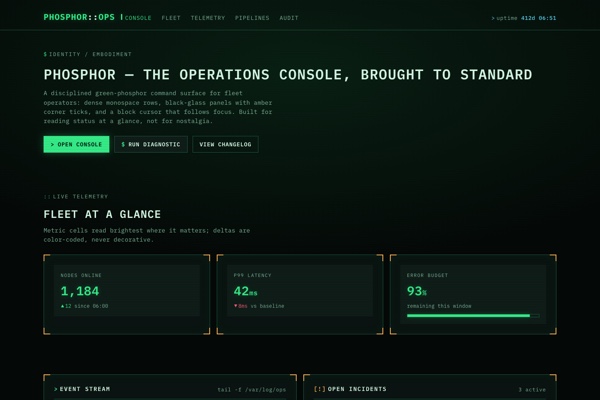 Phosphor